
HEXWAVE™ walkthrough screening
Start with the space you have.
- Detects metallic and non-metallic threats
- Unplug it and roll it where it’s needed. No tools required.
- Three configurations from the same panels
HEXWAVE’s AI Algorithm detects metal and the non-metallic threats a metal detector cannot see, on your people, at any door, walkway or space, including the ones that cannot support a screening lane. Screening is hands-free and non-ionizing, and what the operator sees is a generic outline that the system never keeps.
The same panels, rearranged as your needs change
The same hardware supports all three layouts. Roll it to where you need it and set the configuration through the software.
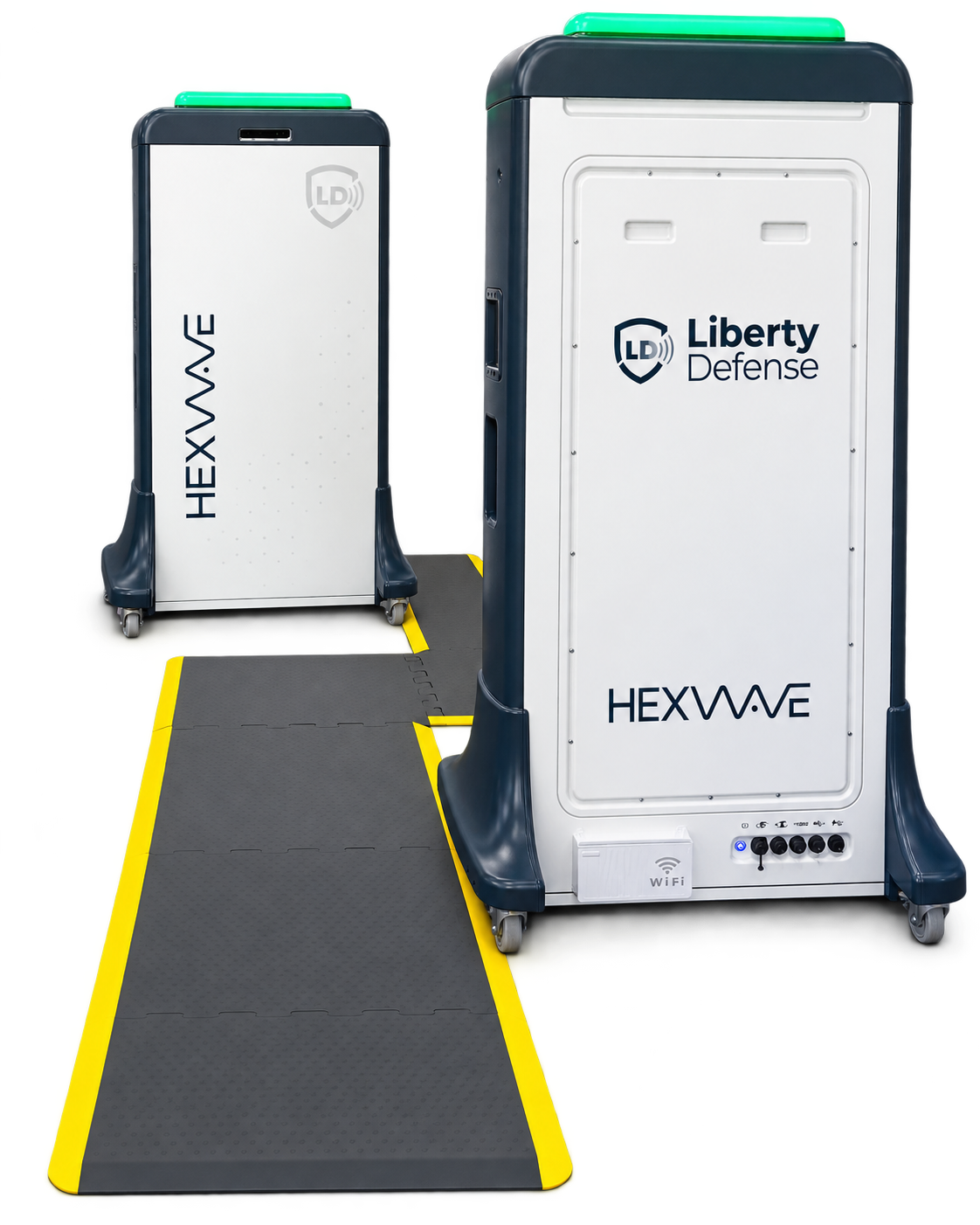
S-Configuration Just Walk.
For entrances that can give you a lane and can’t ask people to stop. People follow floor arrows between the two panels, turning as they walk, and never stand still.
- Footprint
- About 10 × 10 ft, including the clear zone
- At the wall
- A standard 15A grounded outlet per panel
- Install
- In as little as 15 minutes
Request a demo for this entrance See the S-Configuration on the HEXWAVE page
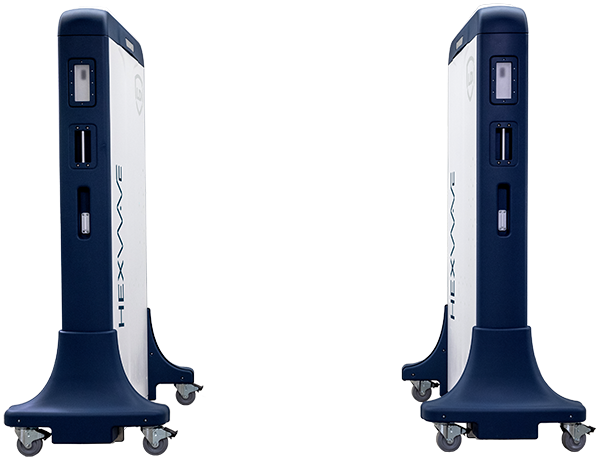
T-Configuration Walk. Turn. Go.
For entrances with room for a lane that can take a brief pause. People step between the panels, make a quarter turn to face one, turn back and keep going.
- Footprint
- About 10 × 5 ft, with no clear zone
- At the wall
- A standard 15A grounded outlet per panel
- Install
- In as little as 15 minutes
Request a demo for this entrance See the T-Configuration on the HEXWAVE page
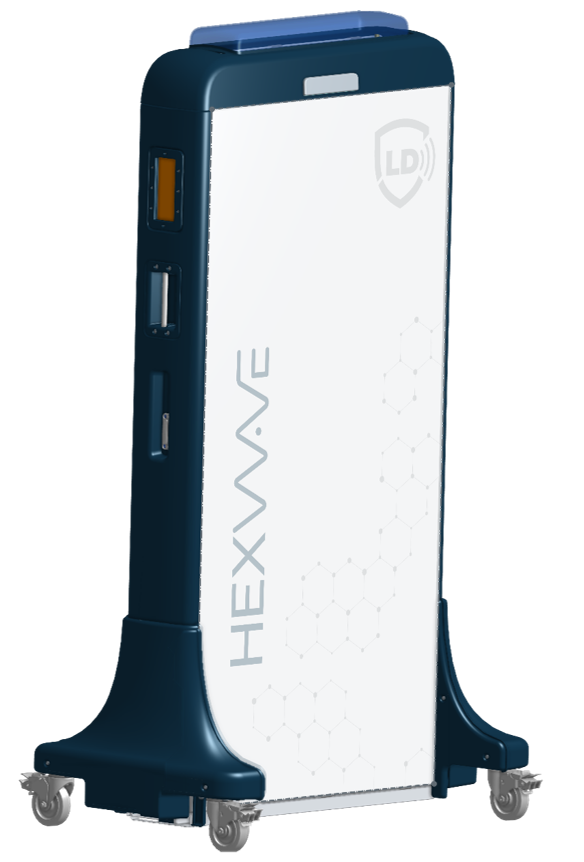
I-Configuration Walk. Spin. Go.
For hallways and small rooms with no space for a lane. People walk up to a single panel, turn all the way around in front of it and continue past.
- Footprint
- About 4 × 4.5 ft facing a wall, or 4 × 7.5 ft on a front approach
- At the wall
- A standard 15A grounded outlet
- Install
- In as little as 15 minutes
Request a demo for this entrance See the I-Configuration on the HEXWAVE page
- ~20 sites
- 5 countries
- 40+ units in the field
- Made in USA
- TAA and Buy American Act compliant
01
Industries
For entrances where you know who’s coming through
HEXWAVE works best where the same staff, visitors or workforce pass a controlled entrance and a metal detector isn’t enough. Find your facility below.
Aviation Worker Screening
Screen employees into secure areas no matter the space you have available.
Don’t see your facility? Tell us about your entrance and we’ll tell you plainly whether HEXWAVE fits.
Investors can go to Investor Relations, and integrators and distributors can start with Partners.

02
How HEXWAVE works
Your operator knows where to look before the person reaches them
Step 1
They walk through
People empty their pockets and hands, then walk through. Scanning starts on its own, and the panels capture a 3D millimeter wave image in real time.
Step 2
AI flags what it finds
Proprietary AI flags metallic and non-metallic threats automatically. The panel light turns red, or goes back to green when nothing is found.
Step 3
Your operator resolves it
A generic body outline shows where the item is. The lane holds until your operator clears the alarm, following your protocol.

The operator tablet: a generic outline and a clear result.
Moves when you need it to
HEXWAVE stands free on wheels with nothing bolted down and plugs into a standard outlet. It installs in as little as 15 minutes, rolls to a new entrance without a technician, and can be run by one person at the lane.
A record you can produce
Every screening event is recorded and exportable, so you have a defensible record that an item was detected, where on the body, when, and which operator was on the lane.
One lane for everyone
Low-power, non-ionizing energy that doesn’t penetrate skin, so the same person can be screened as often as your policy requires. People with pacemakers, joint replacements or a pregnancy use the same lane, so nobody steps aside or discloses a medical device.
No pictures
Operators see a generic outline, never a picture of the person. Images and personal information are not stored.
03
Honest limits
What HEXWAVE doesn’t do
You should hear the limits from us before you see a demo.
It doesn’t screen bags.
It screens people after pockets and hands are empty. Plan bag screening as its own step, and decide where belongings come off at your entrance, because that shapes the layout and the staffing.
It doesn’t see inside the body.
It images the surface of the body. There is no X-ray.
It doesn’t come with a one-size detection rate.
Every entrance has its own threat list, and the number that matters depends on yours, so the demo shows you the system running and walks you through what it flagged.
It doesn’t replace your security plan.
HEXWAVE is one layer. It shows your team where to look, and anything on the body can come up. What happens next is your call, under the procedure you already have.
Your entrance
Bags and pockets
HEXWAVE
Screens the person
Your team
Clears alarms under your protocol
See HEXWAVE screen an entrance like yours.
Demos start virtually. Tell us about your entrance and we’ll show you the configuration that fits it, running live, with time for your team’s questions.
1
Tell us about your entrance using the form.
2
Watch it run in a virtual demo and bring your team’s questions.
3
Get a straight answer on whether HEXWAVE fits your entrance, and if it does, we can talk about seeing it in person.
Prefer a call: Talk to Sales or 1.888.617.7226 ext. 3